To check whether a blood pressure monitor is validated, find its full model code and compare it with an entry in an independent directory such as STRIDE BP. Check the intended population, use setting and supported cuffs too. A familiar brand name or a similar-looking device is not a substitute for that match.
Start with the label on the device
Find the model code on the monitor, its packaging or its instruction manual. Keep any letters and suffixes. A shop's shortened product name may cover several versions, and the name printed on the front may be a family name rather than a model identifier.
Note the cuff model and its stated arm-circumference range too. If the monitor was bought second-hand or the cuff has been replaced, check the combination you actually have.
| Device information | Directory field to compare |
|---|---|
| Exact code from the label | Model or assessed equivalent |
| Home measurement | Intended use setting |
| Person who will use it | Population covered by the evidence |
| Cuff code and range | Supported or validated cuff sizes |
Use an independent validation directory
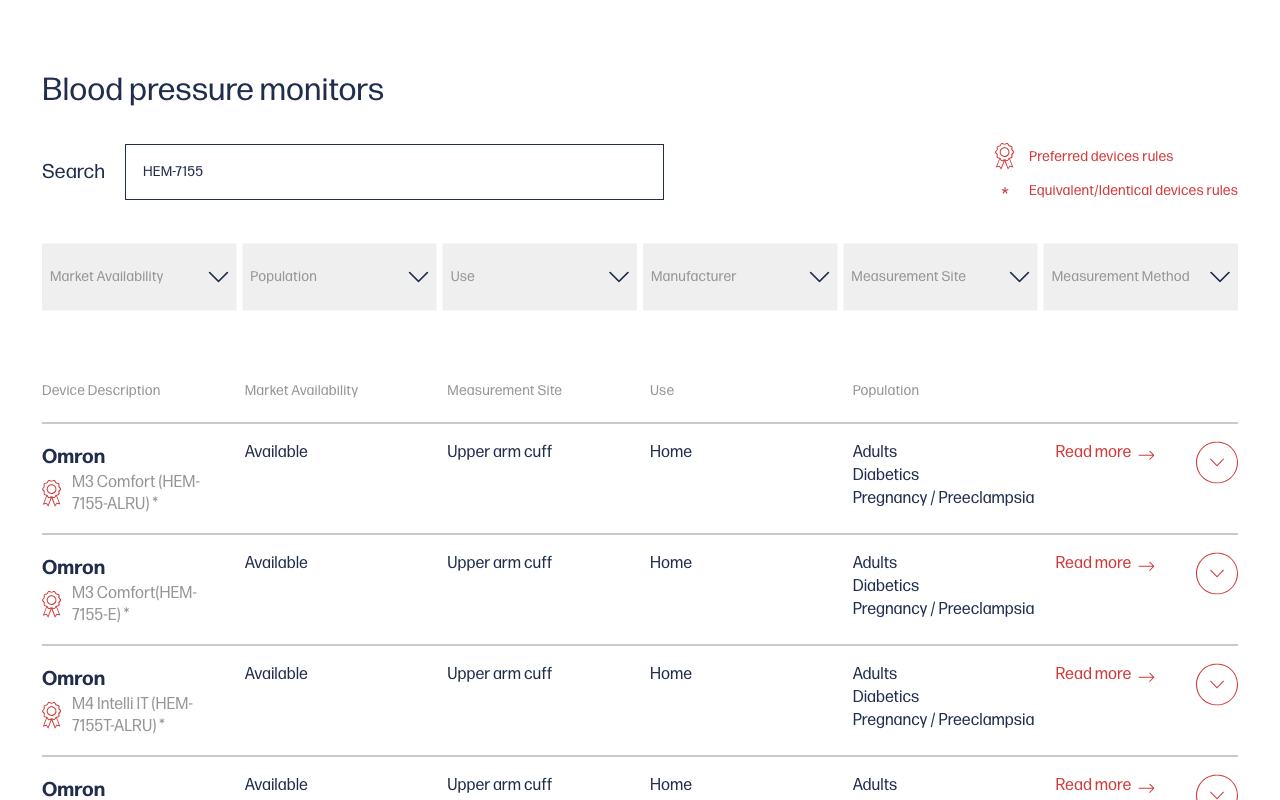
STRIDE BP provides searchable device information, including use setting, populations and cuff sizes. ValidateBP is another directory, focused on devices meeting its US listing criteria.
Search by model as well as brand. Read the actual entry before treating the search result as a match. STRIDE BP distinguishes directly validated devices from models it has assessed as equivalent or identical; similarity is something the directory evaluates, not something to infer from a photograph.
The American Heart Association recommends a validated automatic upper-arm monitor and appropriate cuff fit. If the device is for a child, someone who is pregnant or another situation needing specific equipment advice, ask the care team which model and validation population are appropriate.
If you cannot find it, investigate the missing match
Check spelling, model suffixes and the market where the device was sold. Save the manufacturer's manual and ask a pharmacist, clinician or the directory about the exact device.
A missing result is not proof that a model failed an accuracy test. ValidateBP explains that submission and review status can affect listing. Equally, a retailer's “clinically tested” badge does not supply the missing validation record.
US FDA authorisation and independent validation are different checks. Keep their records separate rather than treating either label as a substitute for the other.
Keep the result with your equipment notes
Record the model, cuff range, directory link and lookup date. Listings can change, so this is more useful than remembering that a brand was once recommended.
Use the cuff-size guide to check fit, and bring the monitor to an appointment for a technique and device comparison. Validation does not make incorrect use reliable.
When you start logging, add the monitor model to your notes. The blood pressure log tool can help organise the readings; it does not test a device's accuracy.
Frequently asked questions
Does a missing directory entry mean the monitor failed?
No. Model names, submission and review status can affect listing. Check the full code and ask the directory or care team rather than inferring a test result.
Is FDA authorisation the same as independent validation?
They are different checks. Verify the intended use and exact model rather than using one label as a substitute for the other.
Sources
- STRIDE BP: monitor directory
- STRIDE BP: principles for device listing
- ValidateBP: listing questions
- American Heart Association: home monitoring
Sources reviewed 20 October 2026. This article helps you check equipment information; your healthcare professional can advise on a suitable device for your situation.